Can GearUP Router Plugin Replace VLESS? How to Choose for Gaming
 Last updated: 16 Sep, 2026
  8 min
8 minVLESS is a traffic-proxy solution used by many experienced users. Combined with tools such as Mihomo and XKeen, it can manage different traffic by domain, IP, application, or rule set while using custom nodes and outbound paths. For users comfortable maintaining routing rules and configurations, it is a mature and flexible technical approach.
But many players looking for an alternative are not trying to manage all network traffic. They are trying to solve a different problem: high latency in cross-region games, Ping spikes, packet loss, or console connections that are difficult to configure individually.
In this case, the GearUP Router Plugin can replace the gaming-acceleration part of a VLESS setup. It does not replace VLESS’s broader traffic-routing and rule-management capabilities.
VLESS and GearUP Plugin Solve Different Problems
GearUP Plugin is a game-network optimization feature available on supported routers. In GearUP Router App, select a device connected to your router, choose a game and server region, then enable optimization for that game connection.
Its purpose is to make game-route optimization easier for PC, PlayStation, Xbox, and Nintendo Switch players—not to make users maintain complex general traffic rules.
| Feature | VLESS with Mihomo/XKeen | GearUP Router Plugin |
|---|---|---|
| Core purpose | General traffic proxying and rule-based routing | Game-connection route optimization |
| Traffic scope | Can handle many devices, apps, or traffic targets through rules | Focuses on selected games and devices |
| Nodes and outbound paths | User-managed, imported, or self-hosted | Matched by GearUP for the game connection |
| Rule control | Granular control by domain, IP, process, port, and rule set | No complex rule maintenance needed |
| Setup complexity | Higher; requires understanding configs, rules, and node status | Lower; select a device, game, and region, then enable |
| Ongoing maintenance | May require updating subscriptions, rules, cores, or nodes | Mainly managed through GearUP Router App |
| PC gaming | Possible, but requires game-related rules | Optimizes connected PCs through the router |
| Console gaming | Possible, but router setup is usually more complex | Directly select PlayStation, Xbox, Switch, and other devices |
| Best for | Different traffic needs different rules, paths, or policies | High latency, jitter, packet loss, and unstable cross-region game connections |
So, the question is not which option is “stronger.” It is whether you need to manage all of your network traffic or want a simpler way to improve game connections.
When Does It Make Sense to Keep Using VLESS?
VLESS with suitable rule tools is a better fit when your main need is fine-grained traffic management. For example:
- You need different forwarding policies for different domains, IPs, or apps;
- You want to maintain your own rule sets;
- You need to build or specify the nodes you use;
- You want to control outbound paths for different traffic;
- You already understand Mihomo, Xray, or router-script configuration and maintenance.
These needs prioritize flexibility and control. Gaming is only one type of traffic, so you decide which rules it follows, which nodes it uses, and how exceptions are handled.
When Is GearUP Router Plugin a Better Fit?
If your goal is focused on gaming, GearUP Plugin is usually more direct. It is especially useful when you:
- Play on game servers in other regions;
- Want to reduce latency and sudden Ping spikes;
- Want to reduce packet loss, jitter, and connection interruptions;
- Do not want to maintain nodes, subscriptions, rule sets, or complicated configurations;
- Play on PlayStation, Xbox, or Nintendo Switch and do not want to configure network tools separately on each device;
- Have multiple PCs or consoles at home and want to manage game connections from the router.
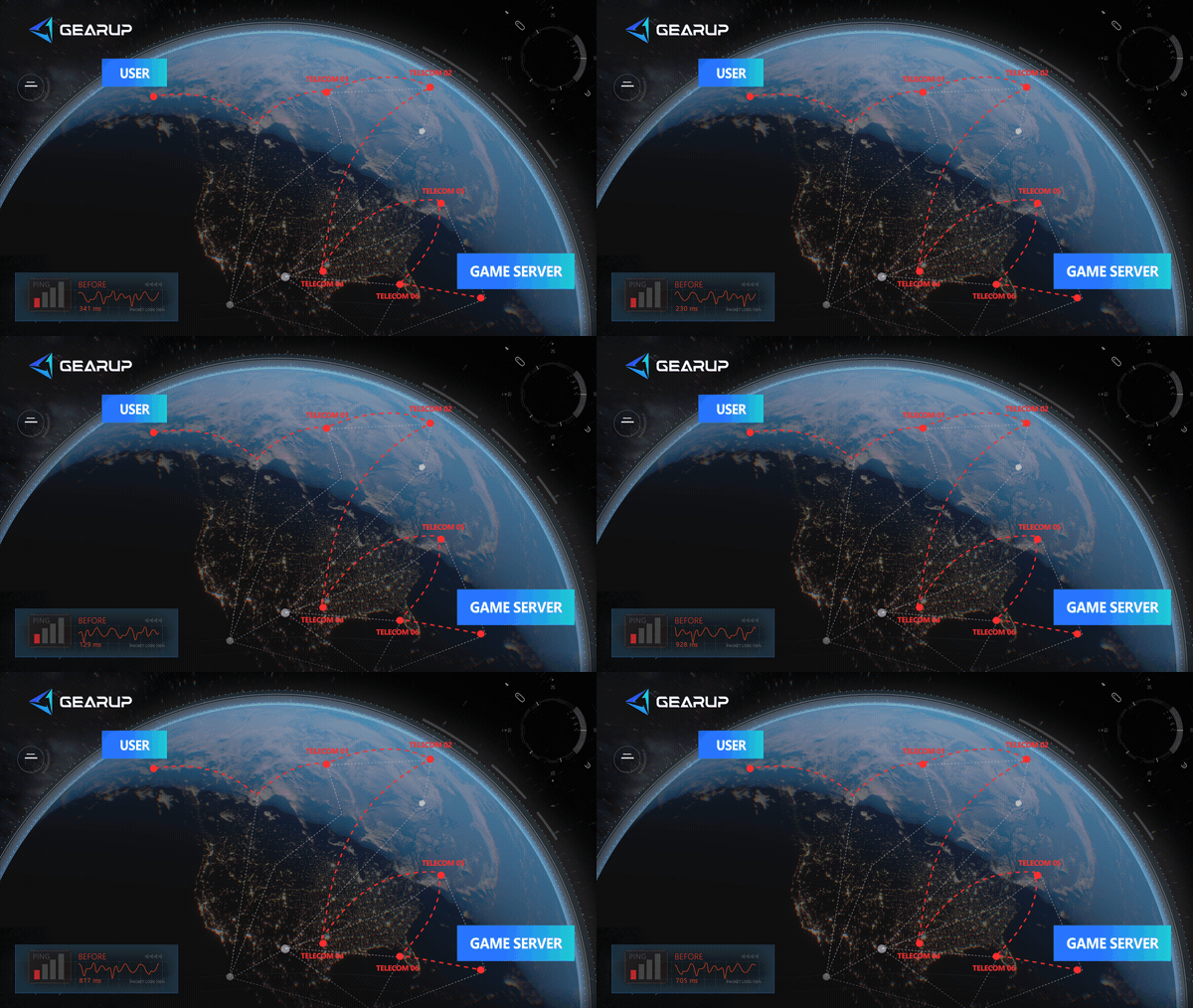
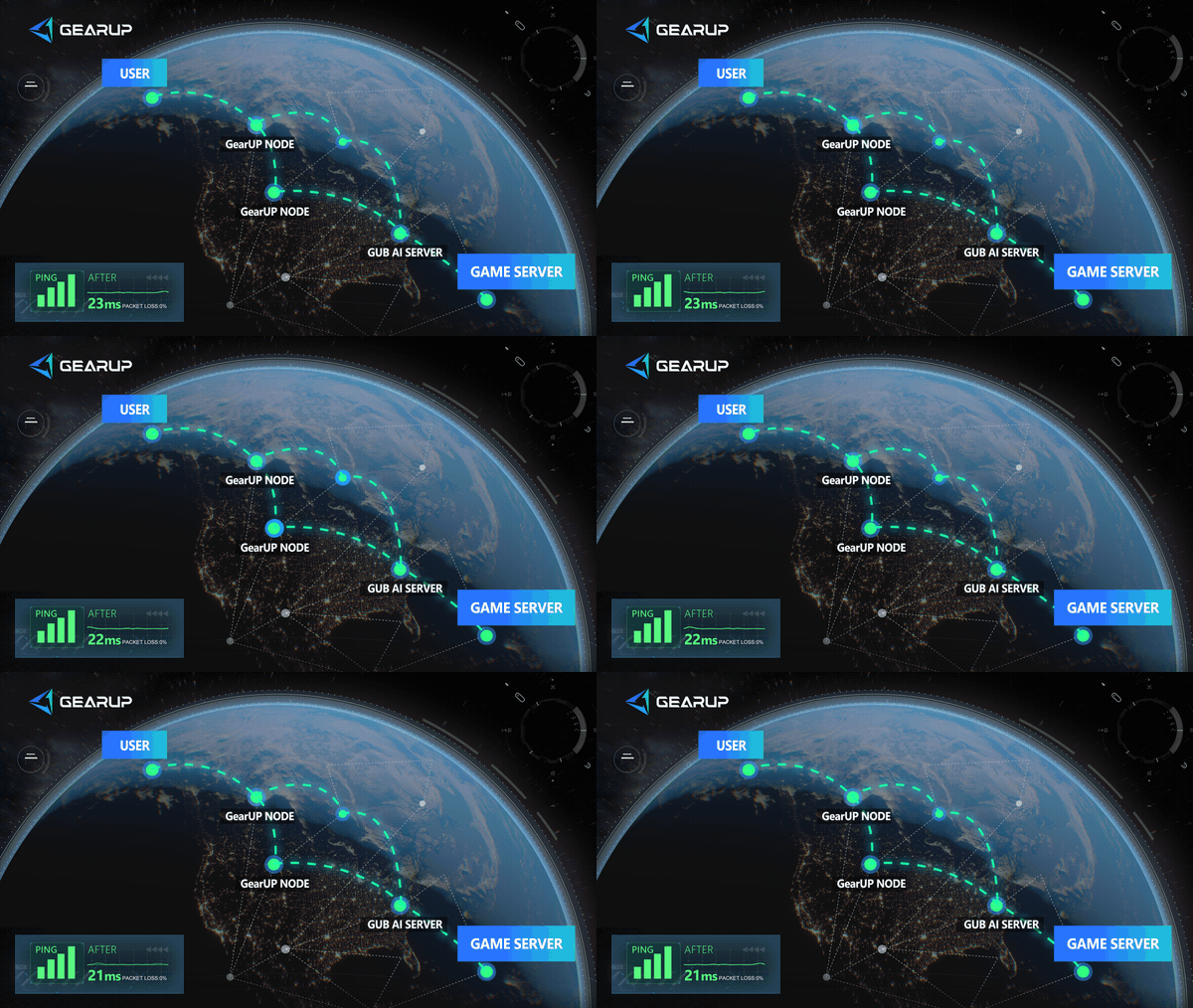
Game connections have different needs from web browsing, video, or downloads. They depend on data arriving continuously, quickly, and consistently. Websites and videos may work normally while a game still suffers from high Ping, short freezes, or disconnects caused by inter-network detours, peak-time congestion, or route fluctuations.
GearUP Plugin does not require you to decide which rule each game connection should match. Select the device, game, and server region you actually use, then enable acceleration.
Why Game Players May Not Need General Traffic Rules?
For users familiar with network configuration, VLESS setups can be highly flexible. That flexibility also means more details to manage:
- Whether the current node is stable;
- Whether game traffic matches the intended rule;
- Whether rule updates affect existing connections;
- Whether router cores, scripts, or subscriptions still work after updates;
- Whether console devices use the intended configuration.
This work has value when you want to manage many types of traffic under one system. But if your main goal is a more stable connection for FC, Call of Duty, NBA 2K, or other online games, maintaining a general rule system may not be the most convenient option.
GearUP works around device + game + server region. It handles route selection in the background, so players do not need to manually choose network nodes or create separate rules for every game.
How to Use GearUP Router Plugin?
GearUP Plugin has been deeply customized with multiple router brands. Selected ASUS, ZTE, and Tenda partner models include GearUP out of the box or can enable it after updating to the relevant firmware.
GearUP also supports more non-partner router brands and platforms, including Keenetic/Netcraze routers, ASUS Merlin firmware, OpenWrt, and Steam hardware. Installation or activation differs by device, model, and firmware environment, so check the relevant GearUP setup guide for your hardware.
- ASUS partner router user guide
- ZTE partner router user guide
- Tenda partner router user guide
- OpenWrt router installation guide
- Keenetic/Netcraze router installation guide
- Steam Hardware Plugin Installation Guide
The exact entry point differs by router brand and model, but the overall process is similar:
- Confirm that your router supports the GearUP plugin and install or enable the plugin.
- Download and sign in to GearUP Router App.
- Follow the prompts to bind your router.
- Connect your PC, PlayStation, Xbox, Nintendo Switch, or other gaming device to that router.
- Select the device you want to optimize in the app.
- Select the game and the server region you actually play on.
- Tap Boost, then launch the game.
This is particularly convenient for console players. PlayStation, Xbox, and Switch do not need a separate PC client. Once connected to a router that supports GearUP, you can select and manage game acceleration through GearUP Router App.
If your household has multiple devices, you can select devices and games separately instead of applying one treatment to all traffic.
Can GearUP Plugin Completely Replace VLESS?
Not completely. The two solutions have different goals.
GearUP Plugin does not offer VLESS-style general rule management. It is not designed for self-hosted nodes, controlling outbound paths for all traffic, or maintaining complex traffic policies.
However, if you mainly use VLESS to improve game connections—especially for cross-region gaming, console multiplayer, high Ping, packet loss, or jitter—GearUP Plugin can be a more focused and easier-to-manage alternative.
You do not need to choose between abandoning VLESS entirely and using only GearUP. A more practical approach is to separate needs:
- Keep VLESS for general traffic and custom-rule requirements.
- Use GearUP Plugin separately for game-connection stability.
Further Reading: What Is VLESS?
VLESS is a lightweight protocol in the Xray ecosystem. It is one component of a connection and transport setup, rather than a complete network-management solution by itself.
In practice, it usually needs a client, router environment, rule engine, nodes, and transport configuration. As a result, two VLESS setups can perform very differently depending on node quality, rules, network conditions, and maintenance.
Rule engines such as Mihomo can process traffic by domain, IP, port, process, or rule set. Router scripts such as XKeen allow some Keenetic router users to deploy related configurations at the router level.
These capabilities are powerful, but they also involve a higher learning and maintenance cost.
FAQ
Q. I Already Use VLESS. Can I Still Use GearUP Plugin?
Yes. But when comparing game-connection performance, avoid having both solutions process the same game traffic at once. Disable the existing game-related rule or path handling first, then test GearUP separately to see which approach works better on your network.
Q. Is GearUP Plugin Suitable for Console Players?
Yes. Consoles are not always convenient for complex network setup. With a supported GearUP router and GearUP Router App, you can select a connected PlayStation, Xbox, or Nintendo Switch, choose the game and server region, then enable acceleration.
Q. Do I Need to Maintain Nodes and Rules for GearUP Plugin?
Usually not. GearUP is designed to let players enable optimization by device, game, and server region without maintaining node subscriptions, domain rules, or complex traffic-splitting configurations.
Q. I Need VLESS Rule Management but Also Want Better Game Connections. What Should I Do?
Separate the two needs. Keep VLESS for traffic that needs custom policies, and use GearUP Plugin specifically for game connections. This avoids rebuilding your whole rule set solely for game acceleration or forcing every network need into one solution.
About The Author
Ethan is one of GearUP's Technical Blog Editors, specializing in gaming network optimization and troubleshooting. With an in-depth understanding of GearUP's technologies, he creates clear, practical content that helps players identify the causes of network issues, understand how game acceleration works, and optimize their online gaming experience. By turning complex technical concepts into easy-to-follow guides, Ethan helps readers solve common connectivity problems and make better use of GearUP's features.
The End