Instant Game Optimization for Tenda Routers
Activate the GearUP Plugin in one tap. Reduce local network congestion, lower ping, and enjoy lag-free gaming instantly.


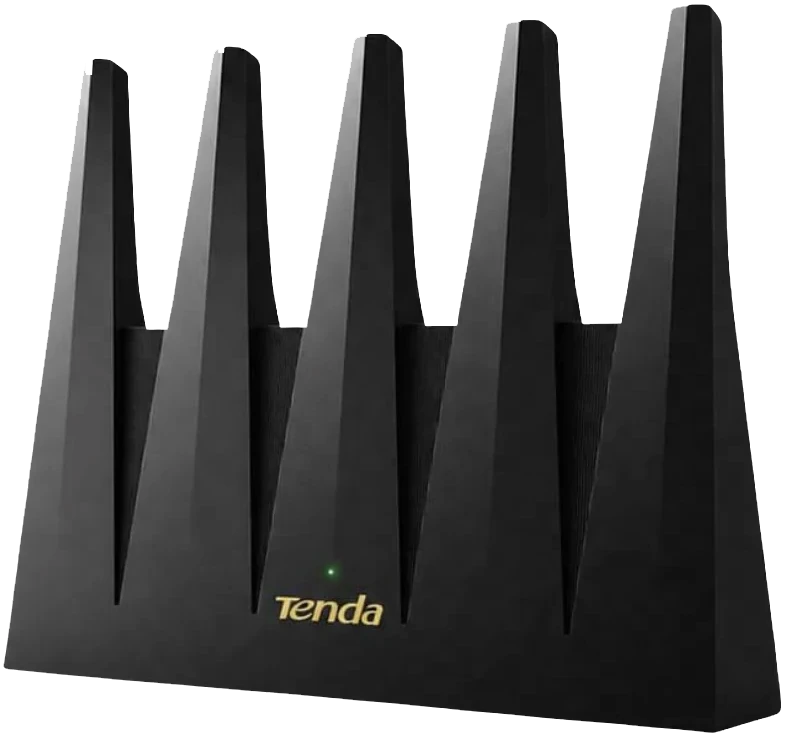
Deeply Integrated, Precisely Tuned.
GearUP and Tenda developed the router integration together, lifting game traffic efficiency and keeping play smooth on PC, console and mobile.
Real-Time Dynamic Nodes
Adaptive Traffic Allocation
More than 7,500 nodes let GearUP assemble several viable routes for a player, so a highly stable connection comes with plenty of redundancy behind it.
- Automatic adaptation, with manual control when you want it.
- Multi-route technology avoids the failed connections a single blocked path causes.
- Global coverage, so more players get a route that suits them.
- Exclusive cross-continent routes.

End-to-End Latency Reduction
Direct route
Ping:168 ms Loss:12%
Cooperative Traffic Handling
The Tenda router handles the local tier of traffic; the GearUP Plugin then delivers your data to the server along the best path.
- Router performance is unaffected.
- No effect on other games or apps.
- Automated from start to finish.
Tuned Game by Game
Different Games, Different Plans
Unlike a VPN, GearUP tunes each title to its own matchmaking and server layout, across more than 3,000 games including Call of Duty, EA Sports FC and Apex Legends.
- PC, console and mobile.
- Some games reach city level.
- Tuned as games update.






Enabled in One Tap, No Install Needed
Turn the plugin on in the router and the GearUP Router App takes care of everything after that.
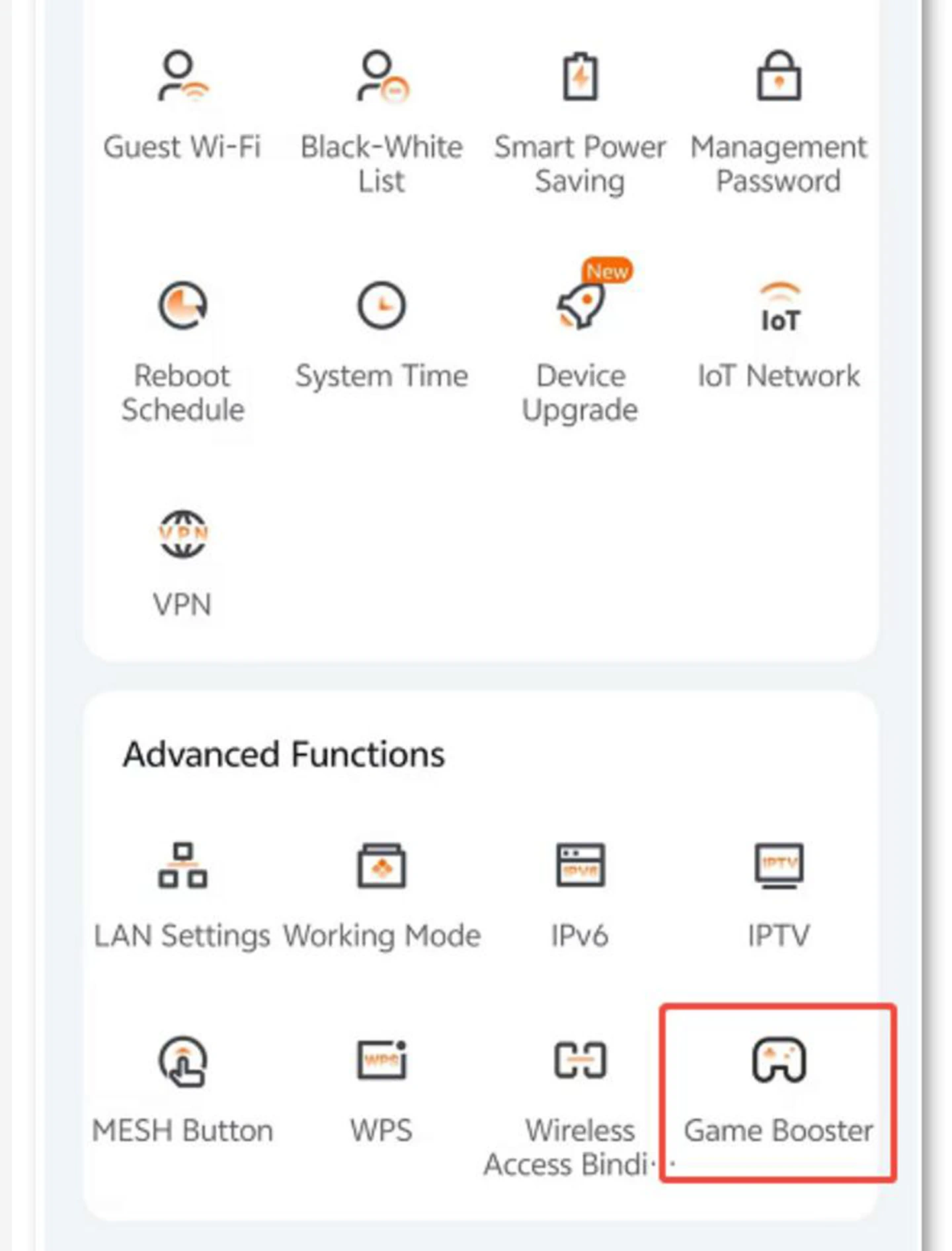
Enable the GearUP Plugin
In Advanced Functions, tap Game Booster to enable GearUP. (One time only)
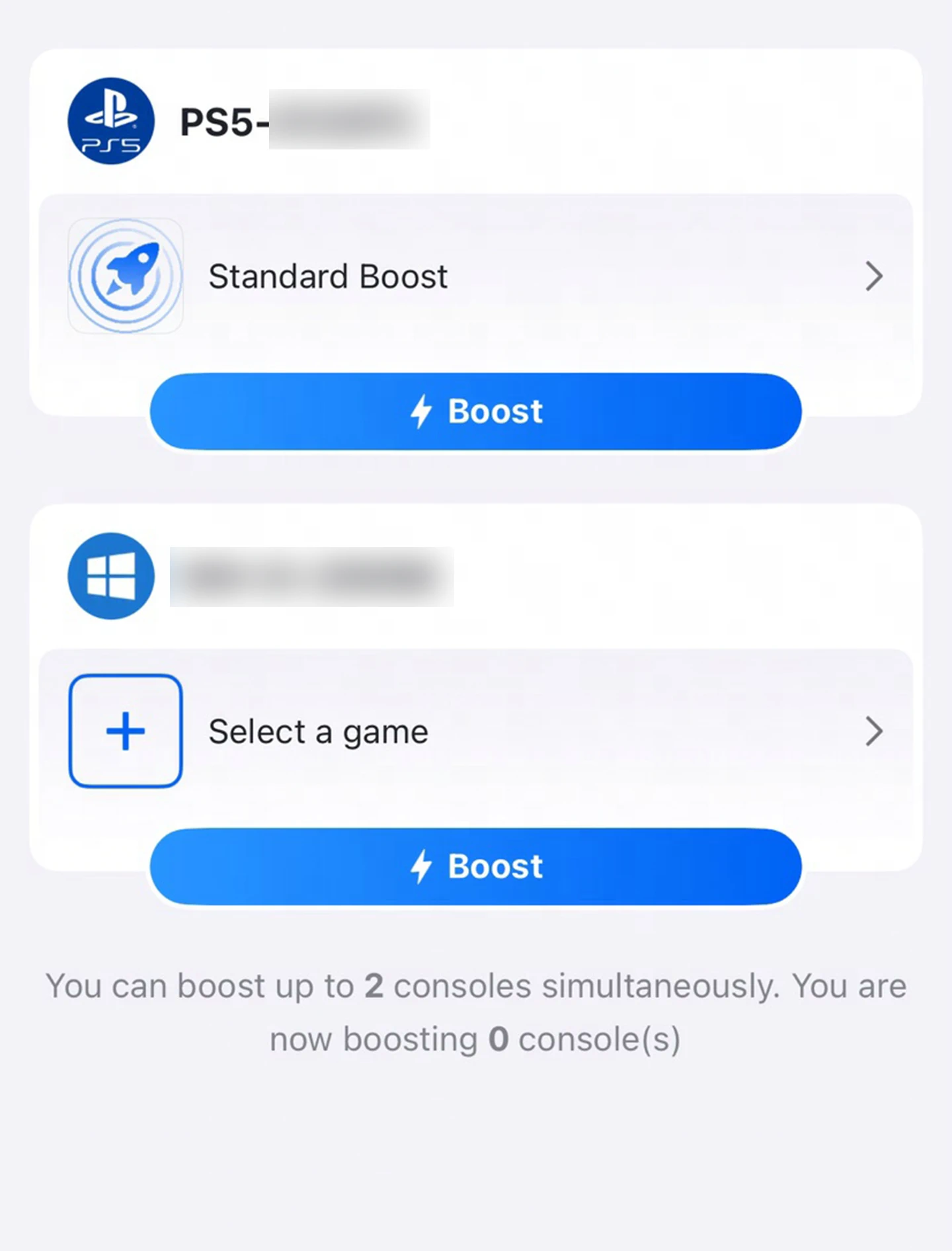
Open the GearUP Router App
Every device that supports acceleration appears here. Tap the one you want to connect.
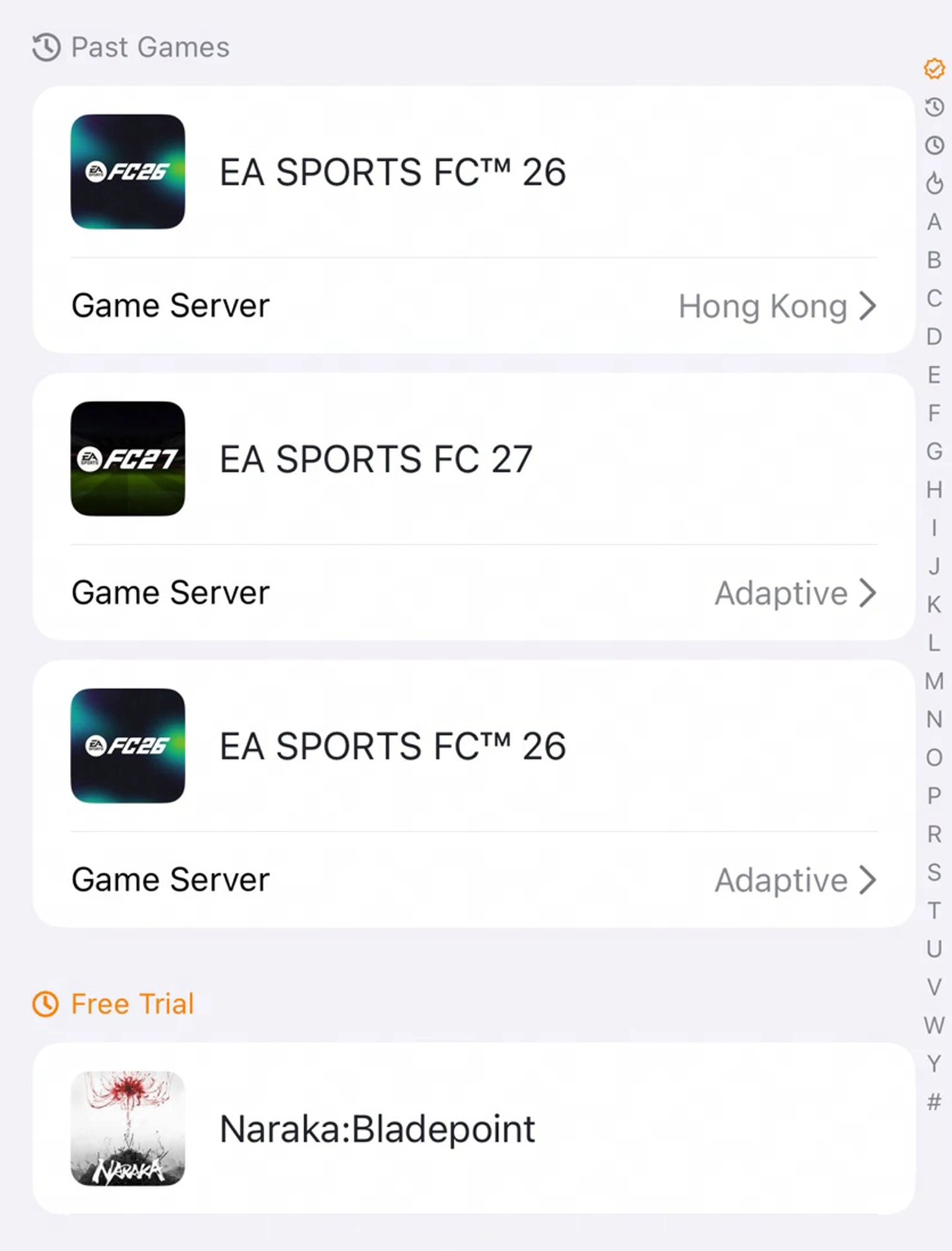
Choose Your Game
Once you pick a device, every supported game appears here. Search for one directly.
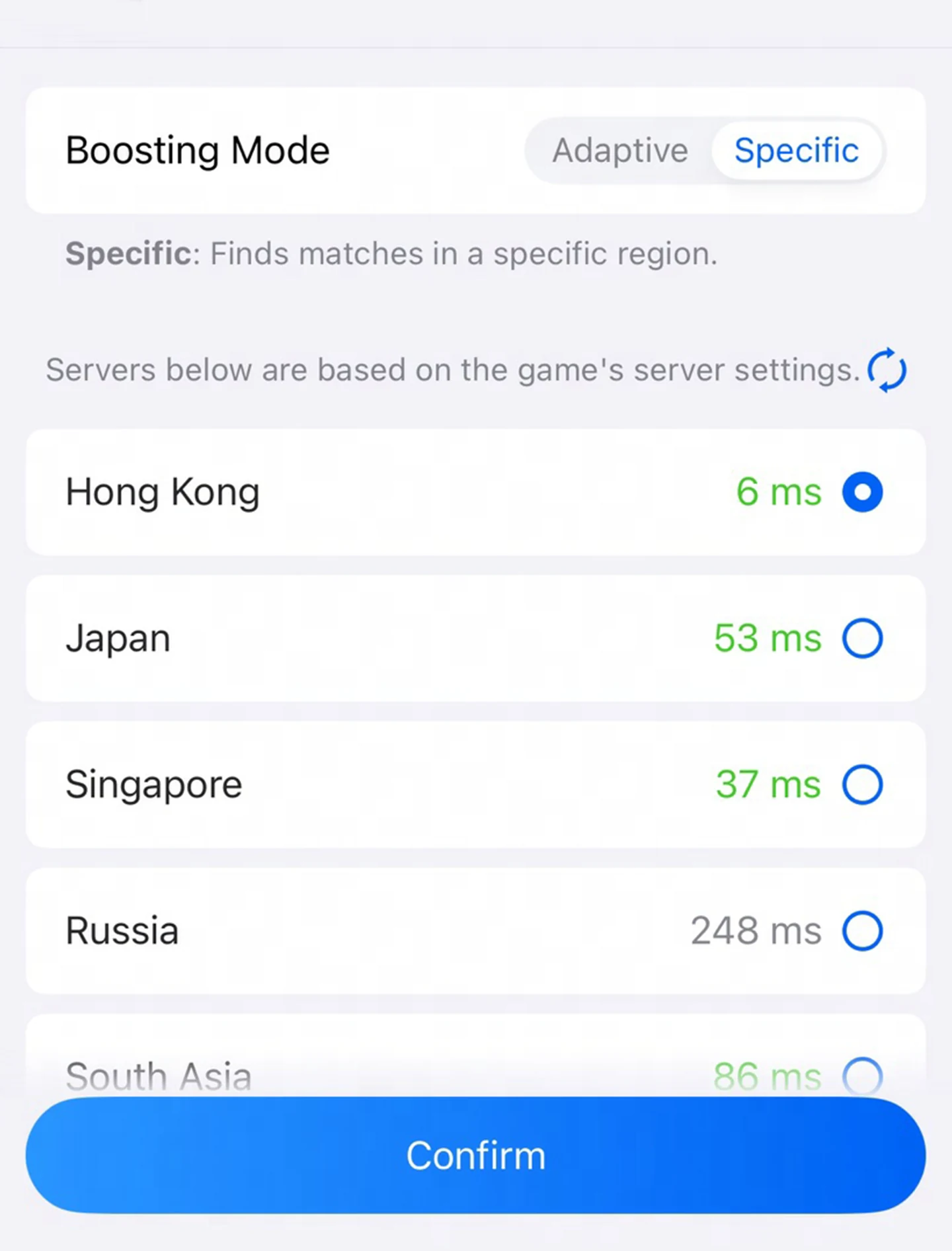
Start Boosting
Pick a server. Choose freely between two modes and servers from around the world.
Debuts on the New Flagship
Peak performance on the BE12 Pro, with wider model support on the way.
Wi-Fi 7 Models (1)
- BE12 Pro
- More models coming
More Tenda models are coming. GearUP and Tenda are working through compatibility, with news to follow soon.
Tenda-Specific Questions
Ready to Boost Your Tenda Router
A revolutionary game optimization experience, now just one tap away.
Download GearUP App