
The testing guildence for Apex Legends
For this test, you need to:
-Play 2 matchs
-Upload 2 screenshots
Please refer to the details below for more information.
Match 1 - Boost game with GearUP Booster
1. Make sure all boosters/VPNs have been fully deactivated. Also, ensure not to open the game before the boosting is complete.
2. Launch GearUP Booster. Boost the game to specific server that you're frequently playing. We recommend you to use Auto node.

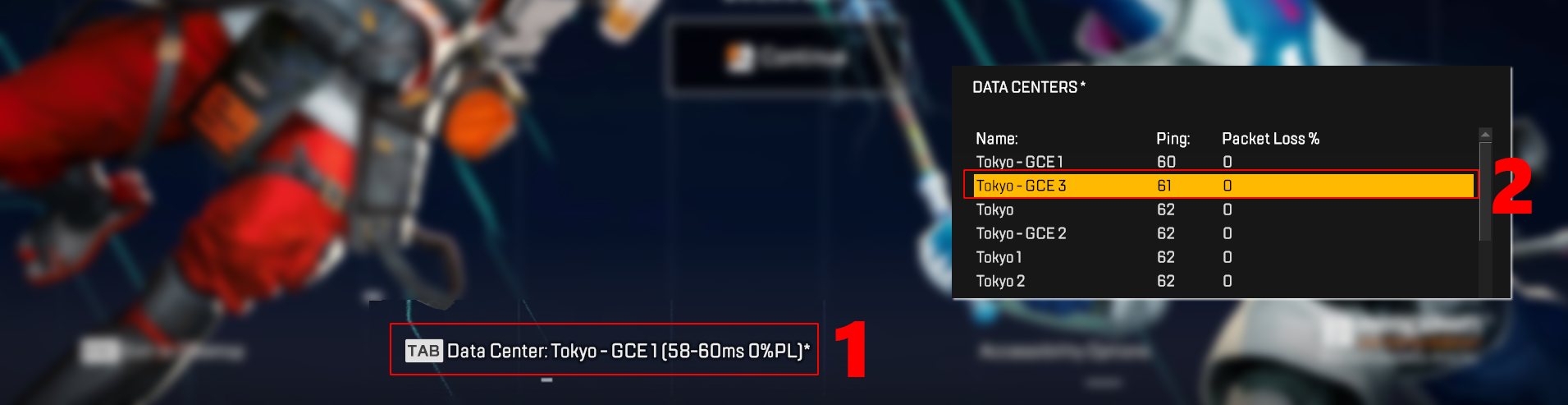
3. Start the game. Ensure you manually select a specific server (the one you often play on) after entering Apex Legends.
The method is as shown in the figure below. Here, "Tokyo - GCE 3" is used as an example.
4.Join a match on Apex.
Then, after playing the game for at least 5 minutes and ensuring you are still in the match (alive), take a screenshot that includes both the GearUP and in-game picture to prove that you have successfully boosted, please refer to the image below. And upload the screenshot to the survey.
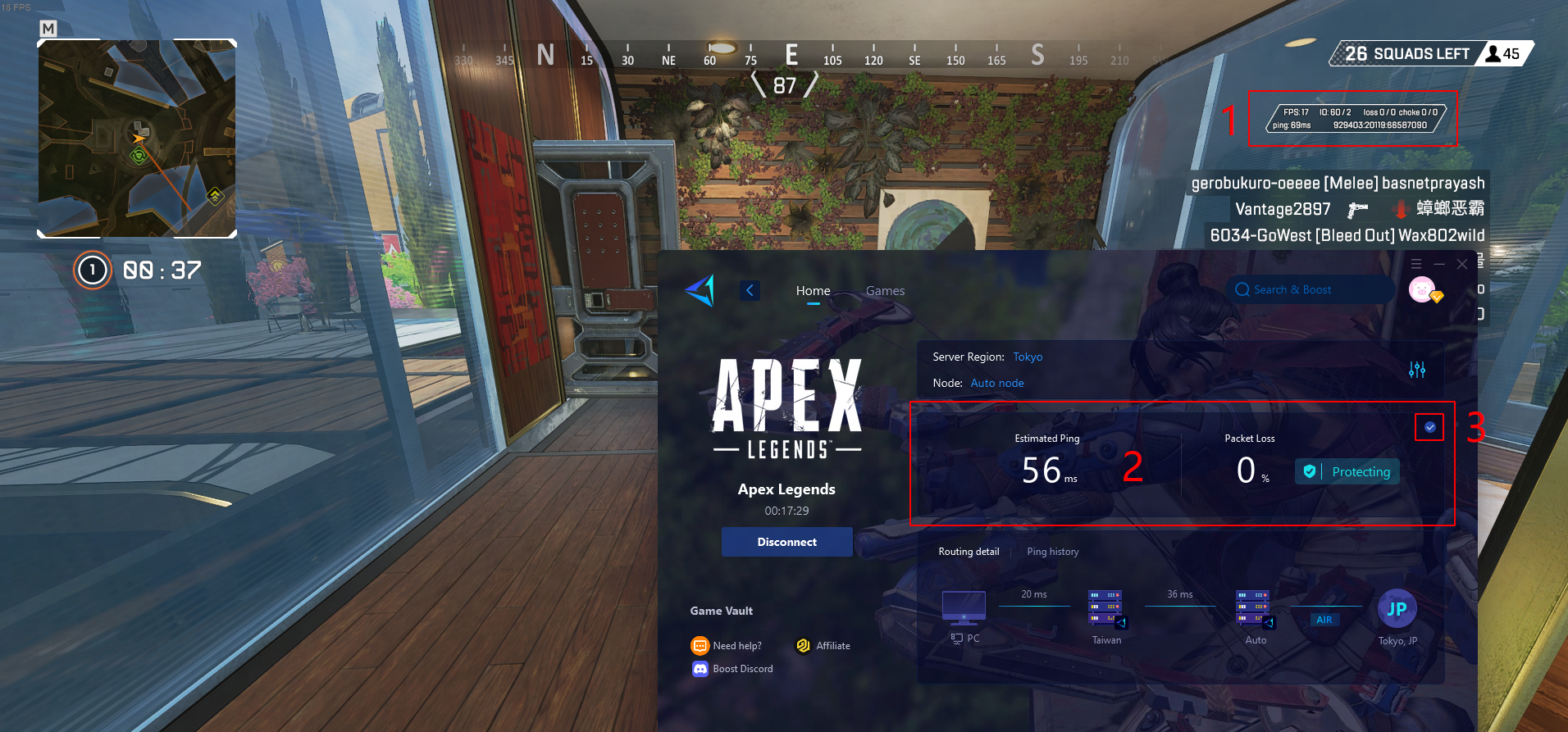
The screenshot should include:
-The GearUP Booster interface (including server selection, and latency display)
-The game screen (must including in-game network data).
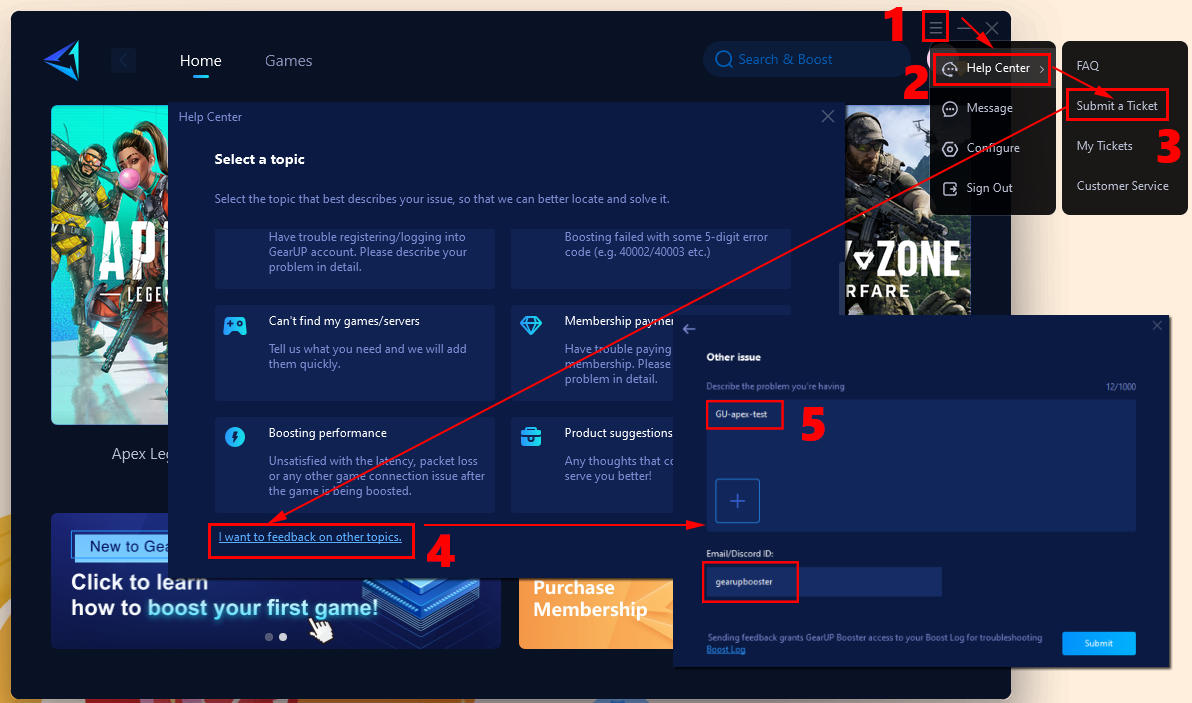
5. When you finish a test with GearUP, disconnect the boost and immediately go to “≡ - Help Center - Submit a Ticket”, click “I want to feedback on other topics” to submit a feedback with information of the following filled in:
"GU-apex-test" and leave your Discord ID
*This will also serve as proof of test, and through your ticket, we can determine if our new feature is functioning as expected.
Match 2 - Play game without GearUP Booster
1. Make sure all boosters/VPNs have been fully deactivated.
2. Launch Apex and manually select the same server as the match 1 again.
*For instance, if you selected "Tokyo - GCE 3" in your previous match, maintain that choice this time.
3. Join a match on Apex. Then, after playing the game for at least 5 minutes and ensuring you are still in the match (alive), take a screenshot that includes in-game network data. And upload the screenshot to the survey.