


Xbox Boosting Instructions
A. Connect your Xbox to PC
LAN: Install GearUP Booster on your PC and connection both devices to the same router using LAN cables.
Wi-Fi: Install GearUP Booster on your PC and connect Xbox to the same Wi-Fi network. Your PC can be on a wired connection.
Tips: To ensure optimal boosting, please connect your PC to the Console using an Ethernet cable or utilize our hardware product, HYPEREV.
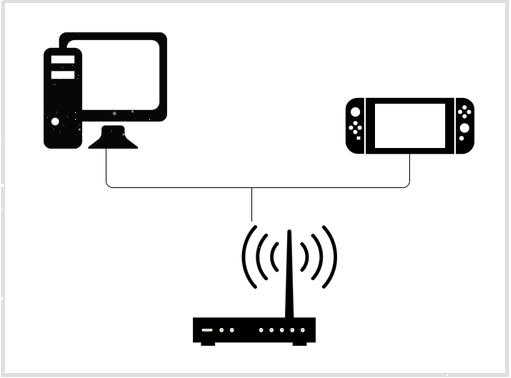
Connect Your Xbox
Reminder:
- Do not connect to a modem or a TV Box.
- Try a Wi-Fi extender if you have bad Wi-Fi signals and cannot use a LAN cable.
- TP-Link routers will cause parameter fluctuations after boosting. If you're having trouble connecting to Xbox, please reboot your router and GearUP Booster, and configure your network as seen here.
B. Set Up Your PC
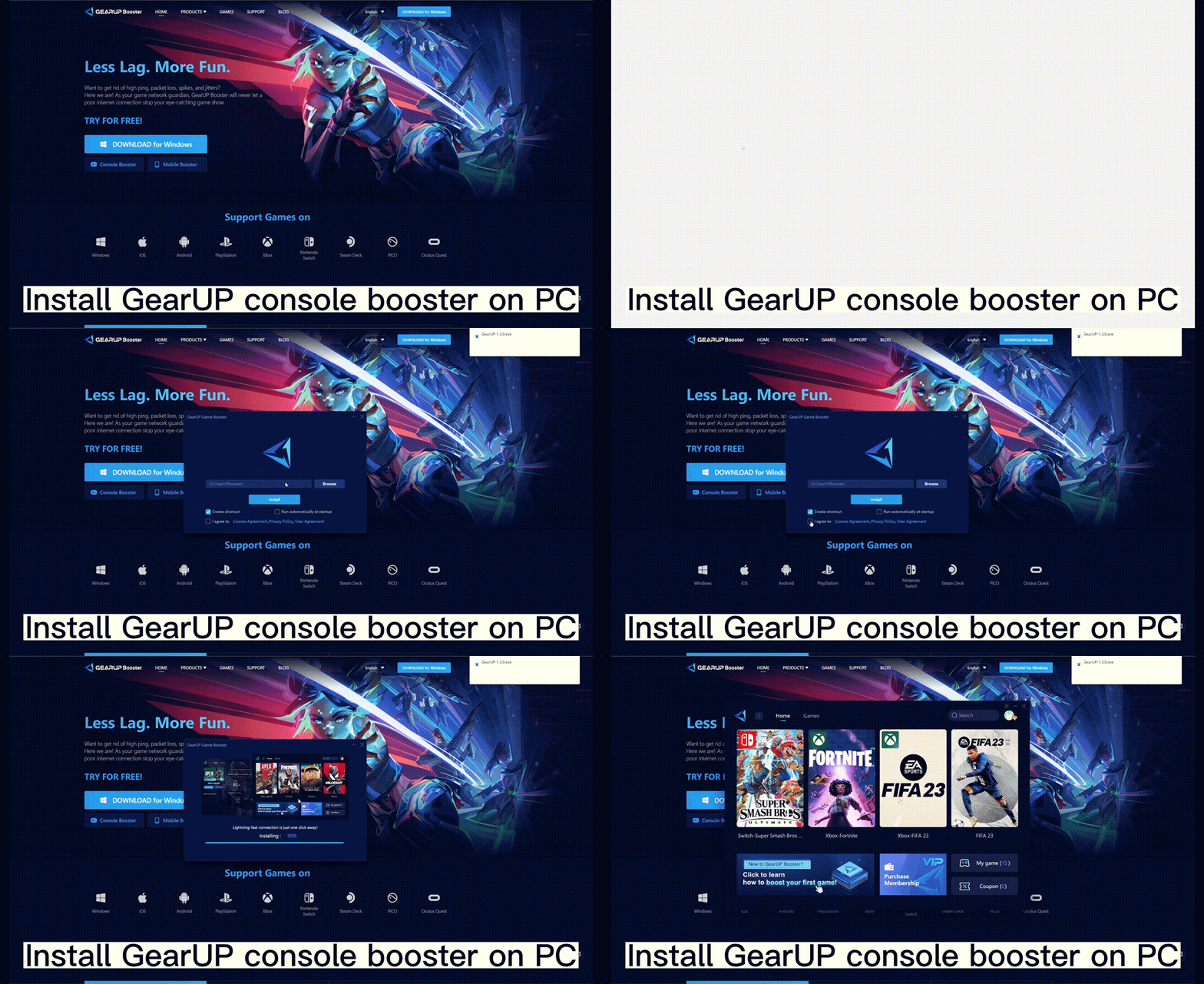
- Download the latest GearUP Booster.
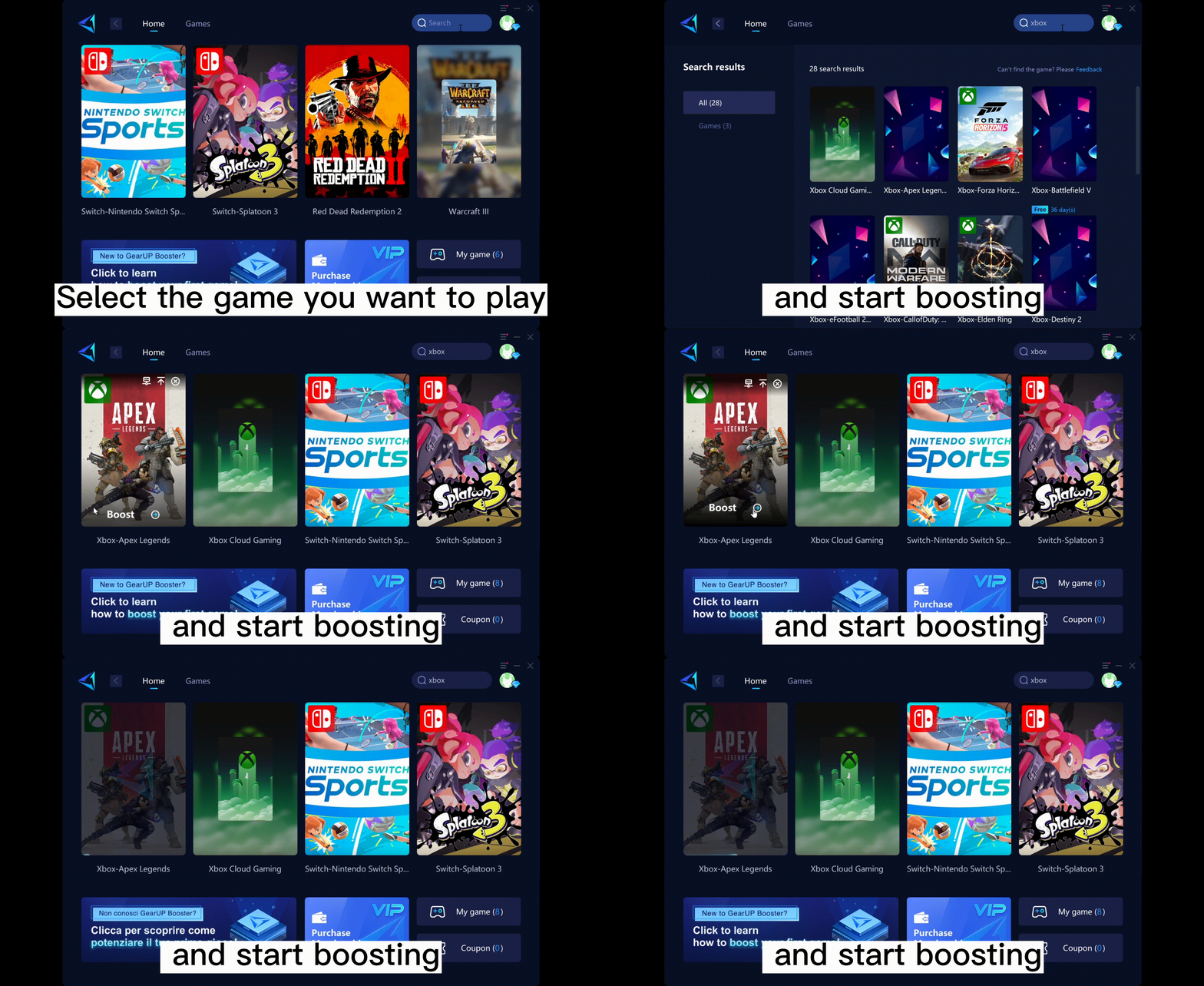
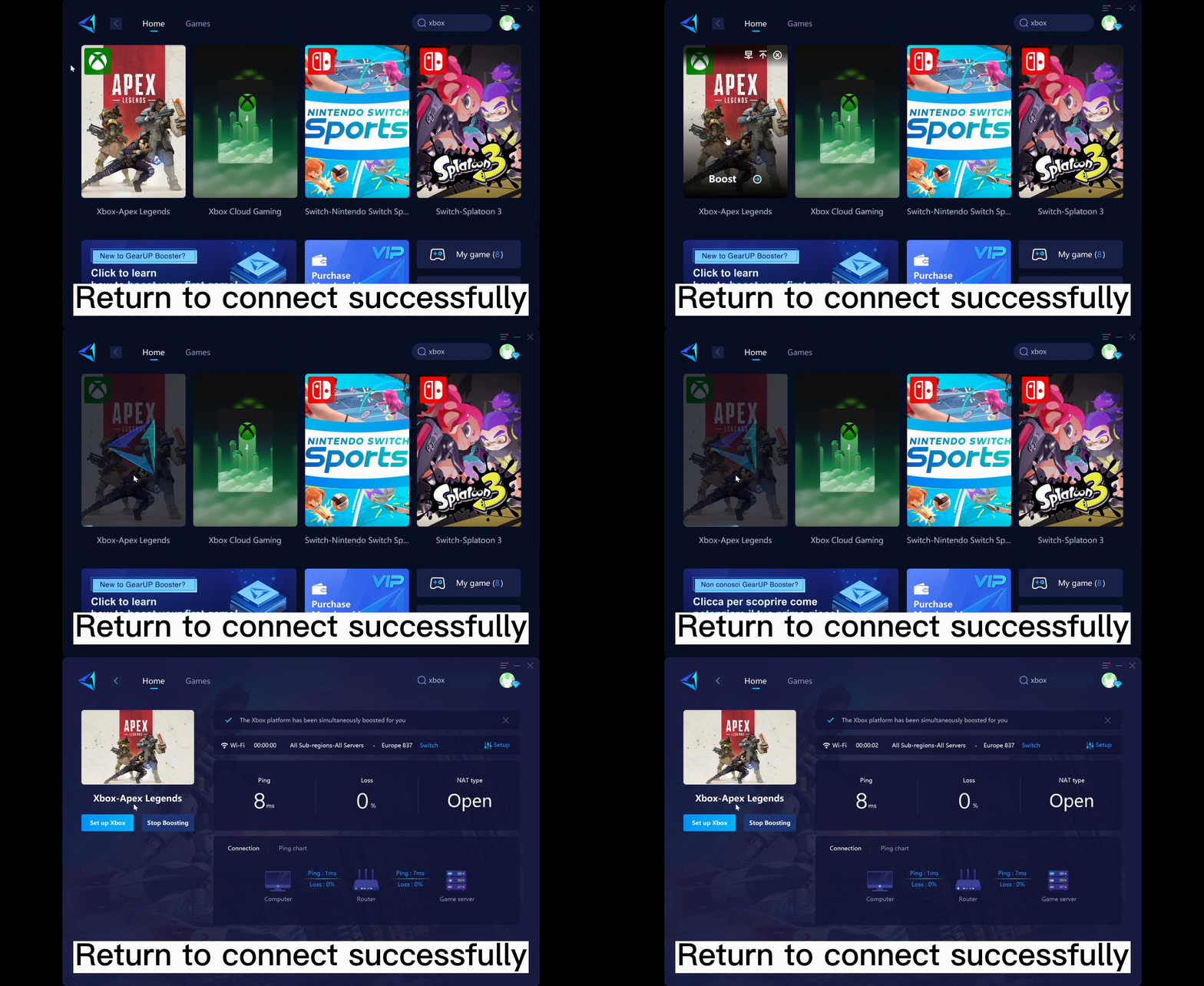
- Go to [Games] → [Xbox], or search "Xbox" to browse our Xbox games.
- Select the game you want to play and start boosting.
- The following prompt will show up after boosting.
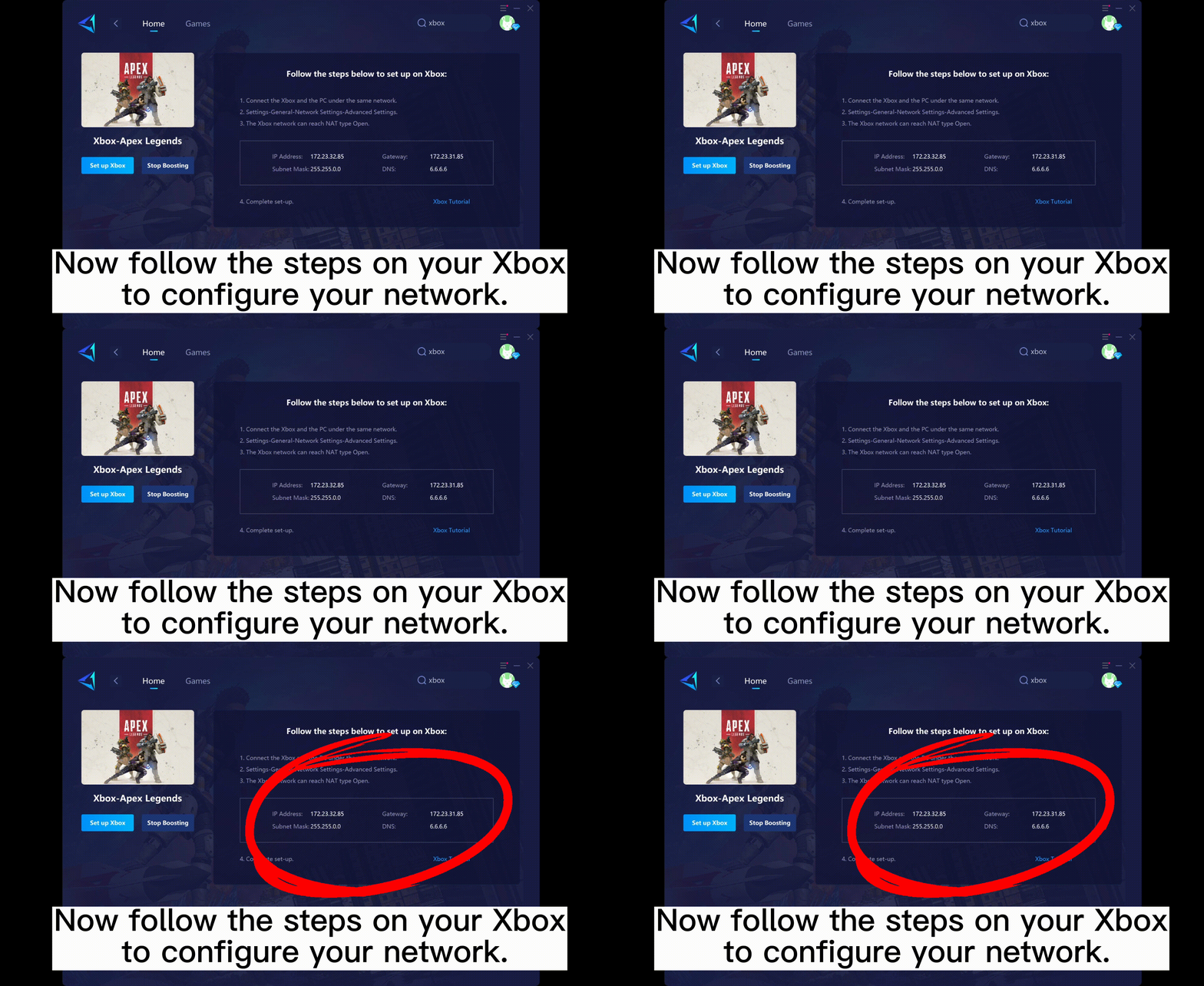
- Good job!Now you can follow the next steps to configure your Xbox network.
C. Set Up Your Xbox
Press the "Xbox Button" at the center of your controller and go to [Settings] → [General] → [Network Settings] → [Advanced Settings]
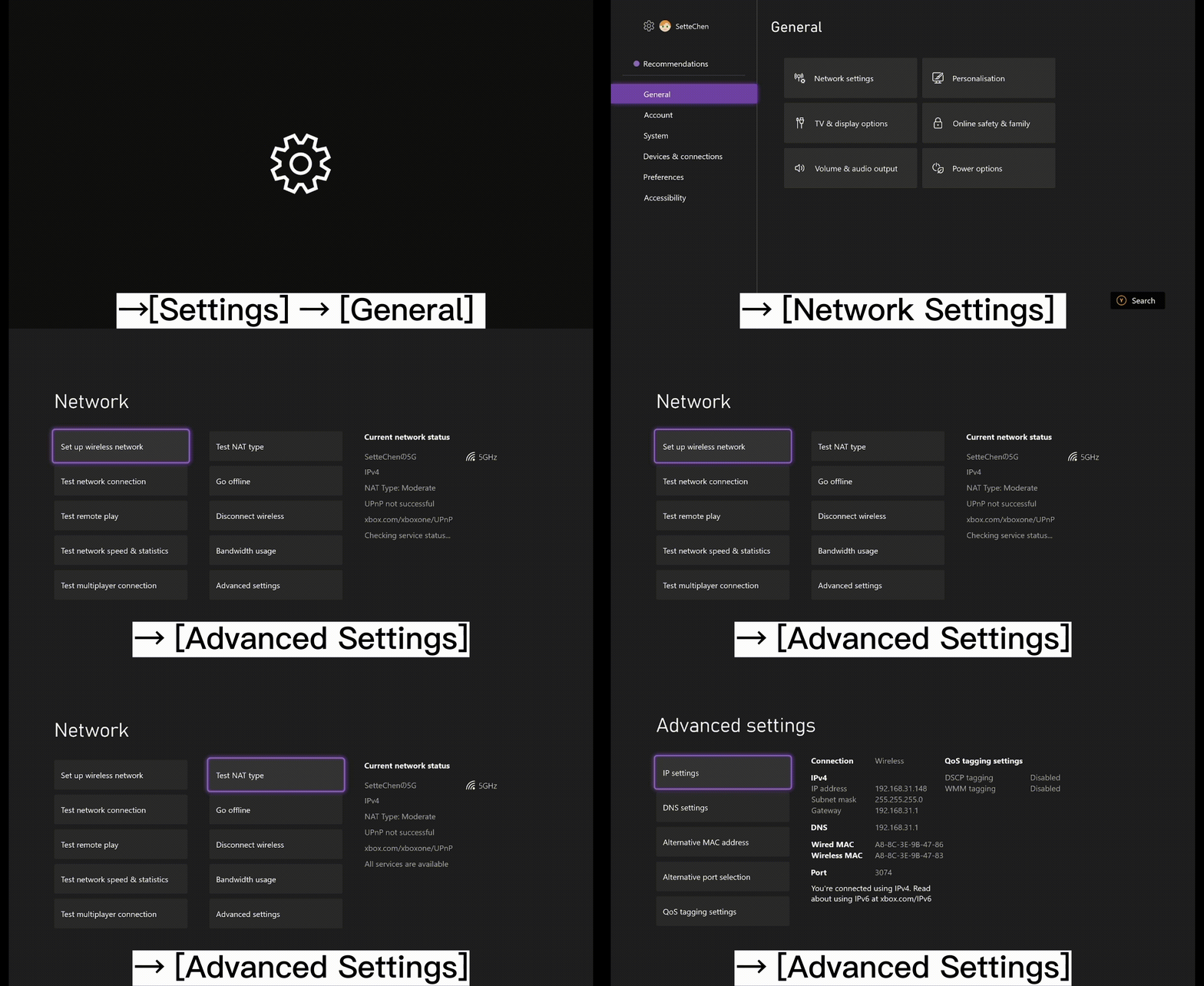
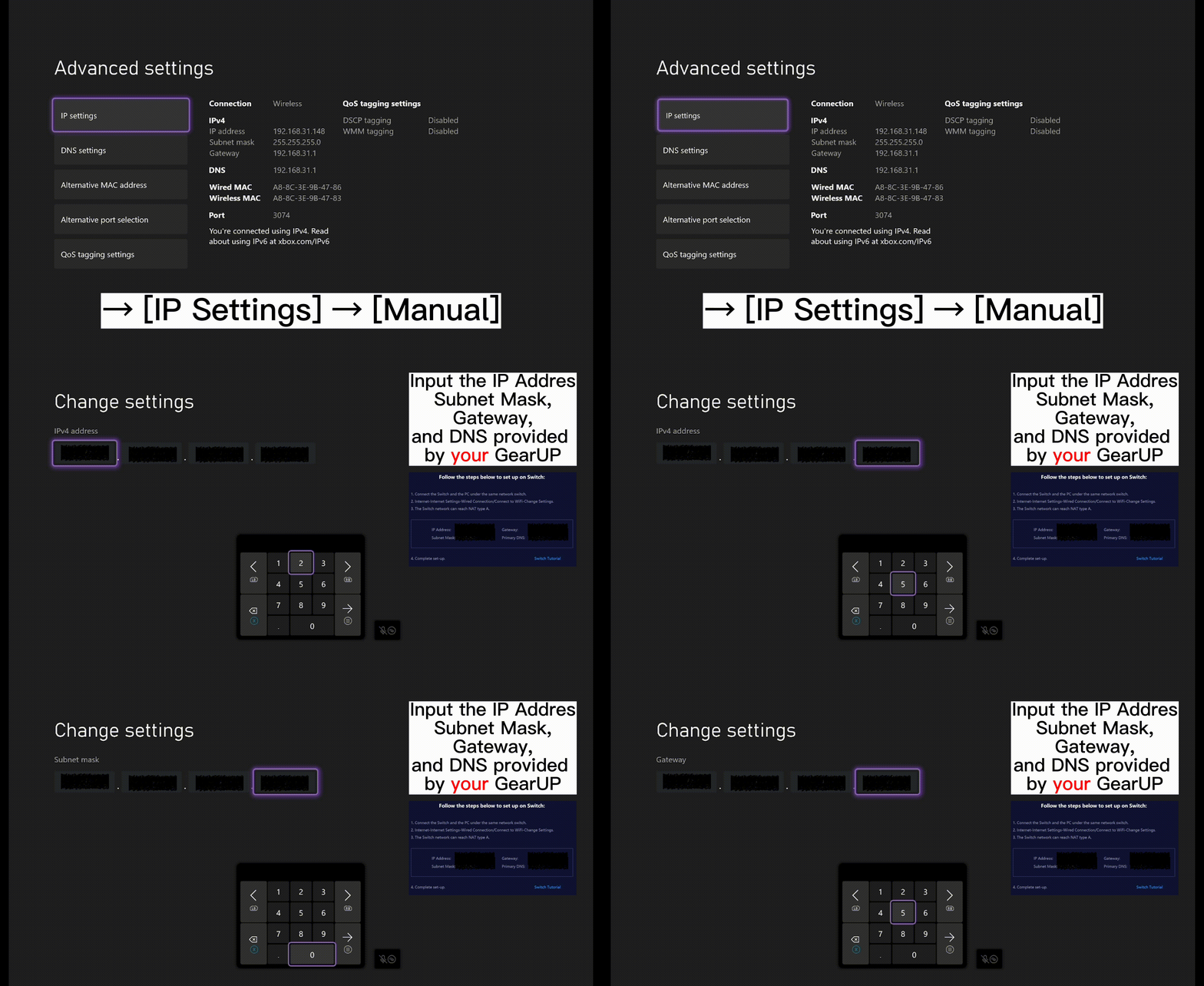
- IP Settings
Go to [IP Settings] → [Manual] and input the IP, Subnet Mask, and Gateway provided by GearUP.
- DNS Settings
Go to [DNS Settings] → [Manual] → Input 6.6.6.6 for Primary IPv4 DNS → Input 0.0.0.0 for Secondary IPv4 DNS. An example of a successful configuration is shown below:
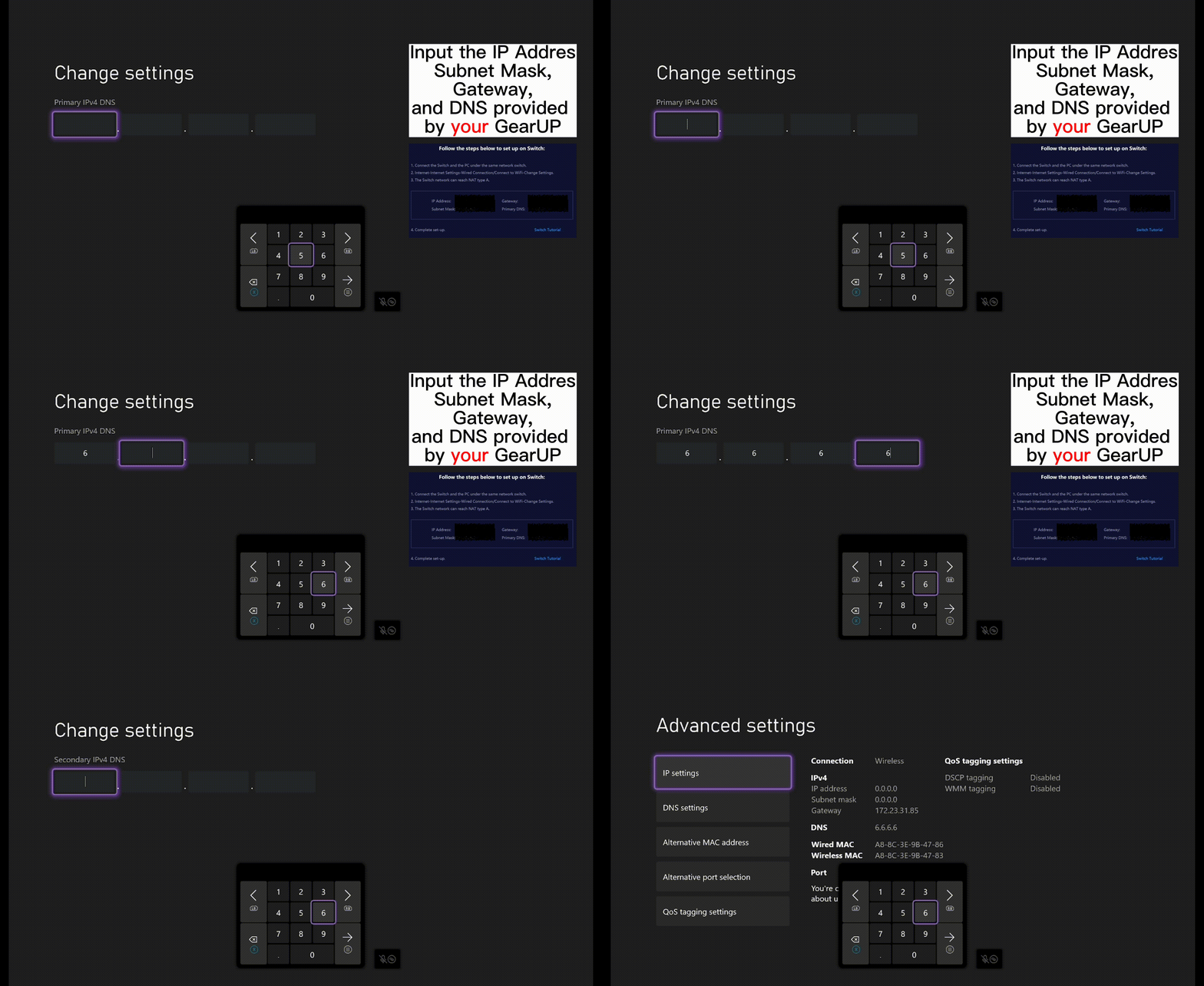
- Return to the previous page. You are all set if the NAT Type is shown as "Open"!

GearUP Portal Pte. Ltd. All Rights Reserved
GearUP Portal Pte. Ltd. owns both the official website and the product of GearUP Booster and Hyperev which provide trials of the software.